Gaming & latency
36Lower input lag and steadier frame times: Game Mode, captures, mouse, keyboard and graphics card.
- Disable mouse pointer acceleration
- Enable hardware-accelerated GPU scheduling
- Disable Xbox Game Bar and game captures
For Windows 10 and 11
213 tweaks explained in plain words, a one-press Boost Mode, cleanup and repairs in a single app. You choose what to apply, and every change can be undone.
€25·one licence, one PC
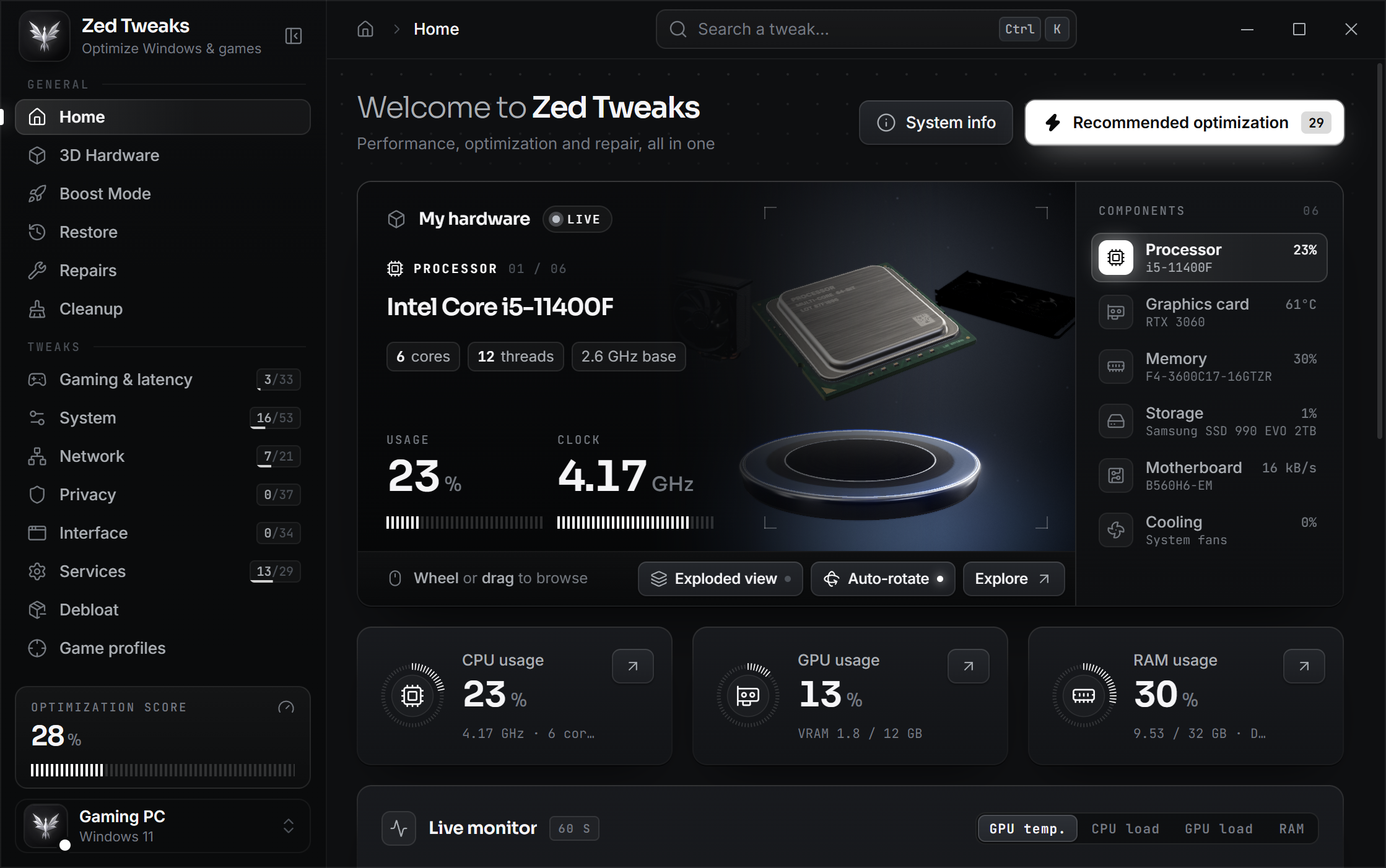
01Tour
Real screenshots of the app. Pick a page to look inside.
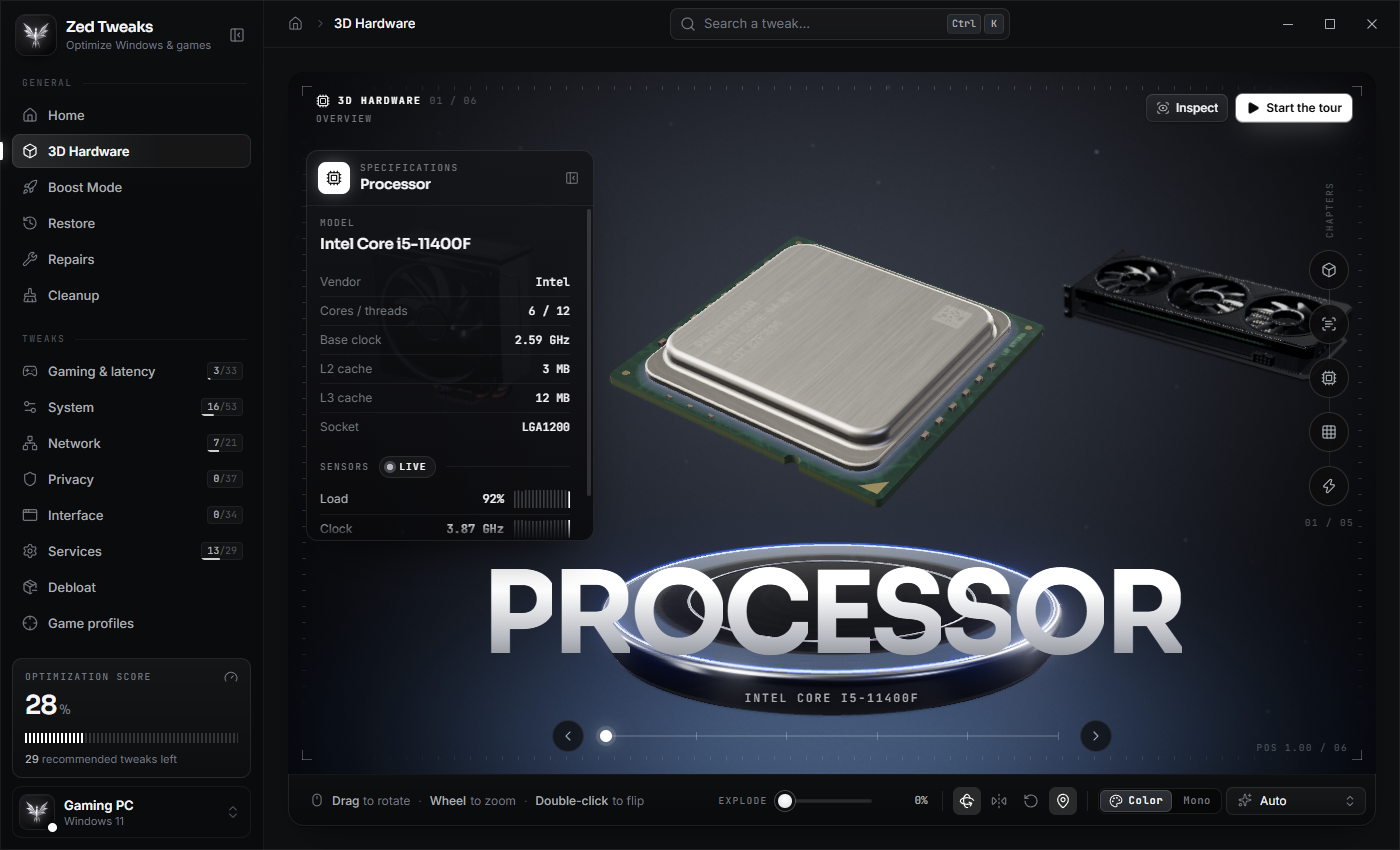
Processor, graphics card, memory, storage, motherboard and cooling, shown as 3D models you can rotate and explode, with their specifications and live sensors next to them.
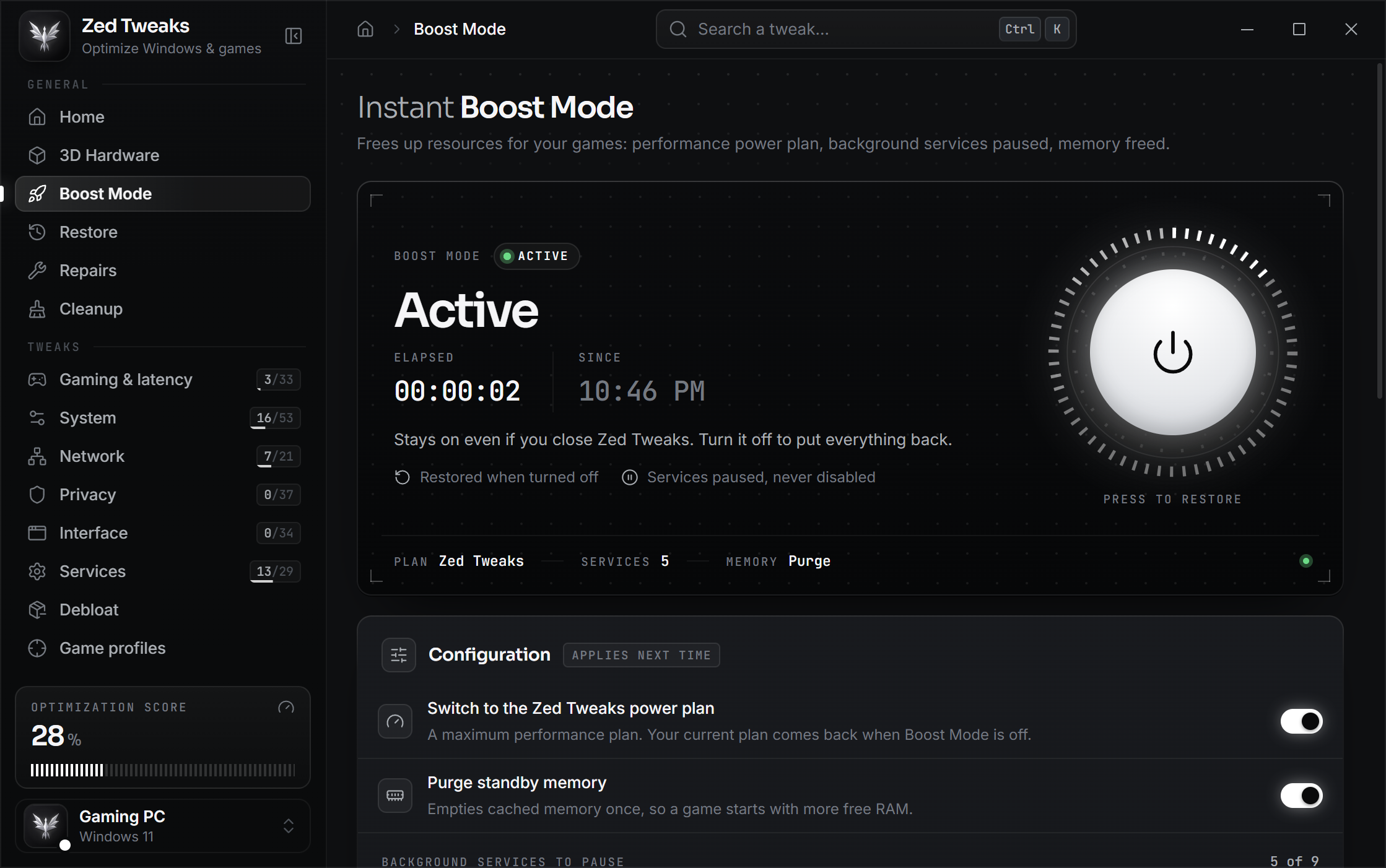
One press before a game: a maximum performance power plan, background services paused and standby memory purged. Turn it off and everything is put back the way it was.
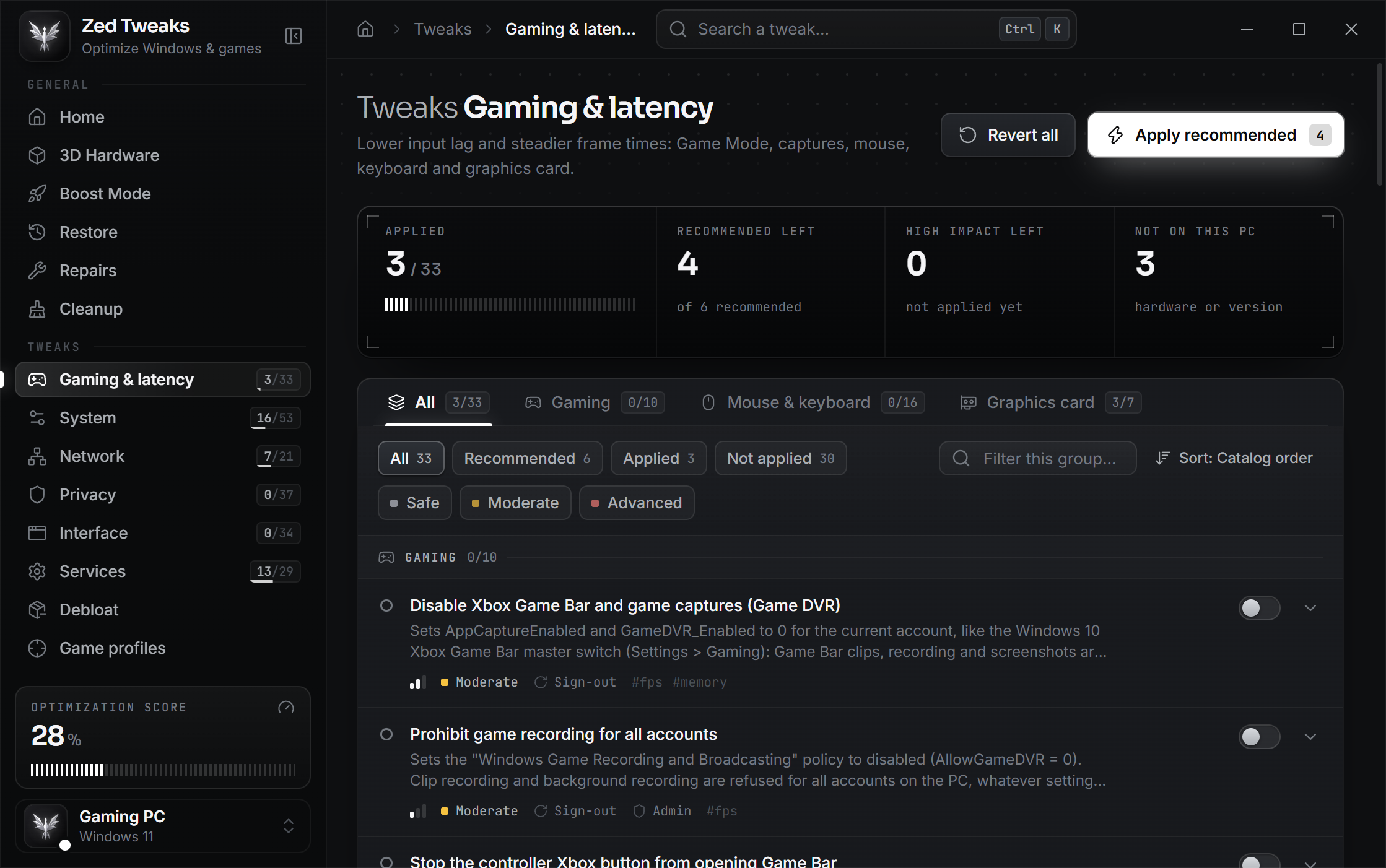
Each tweak says what it changes, how risky it is and whether it needs a restart. Filter by Safe, Moderate or Advanced, flip a single switch, or apply the recommended ones in one go.
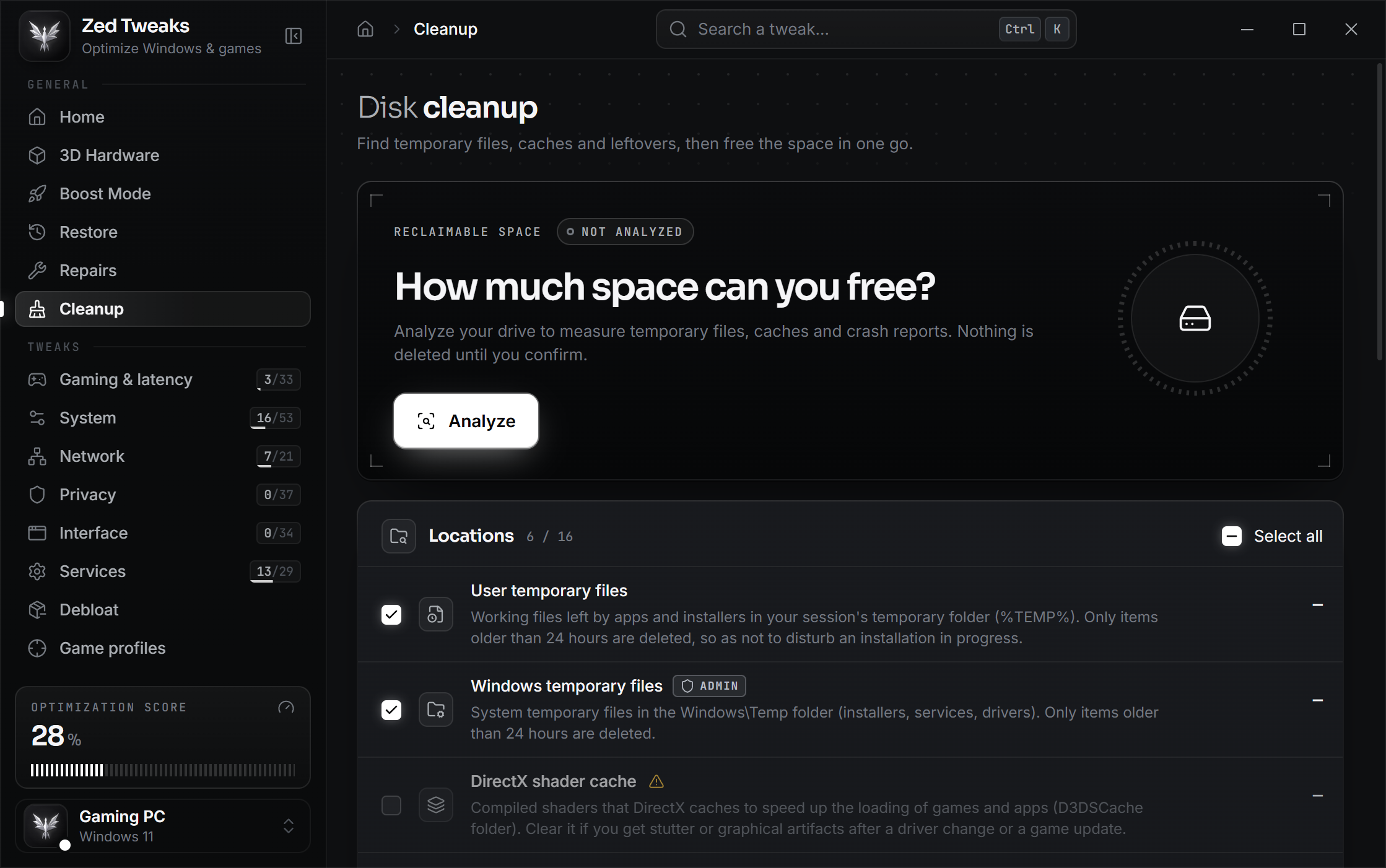
Measure temporary files, shader caches and crash reports across 16 locations, then free the space in one go. Nothing is deleted until you confirm.
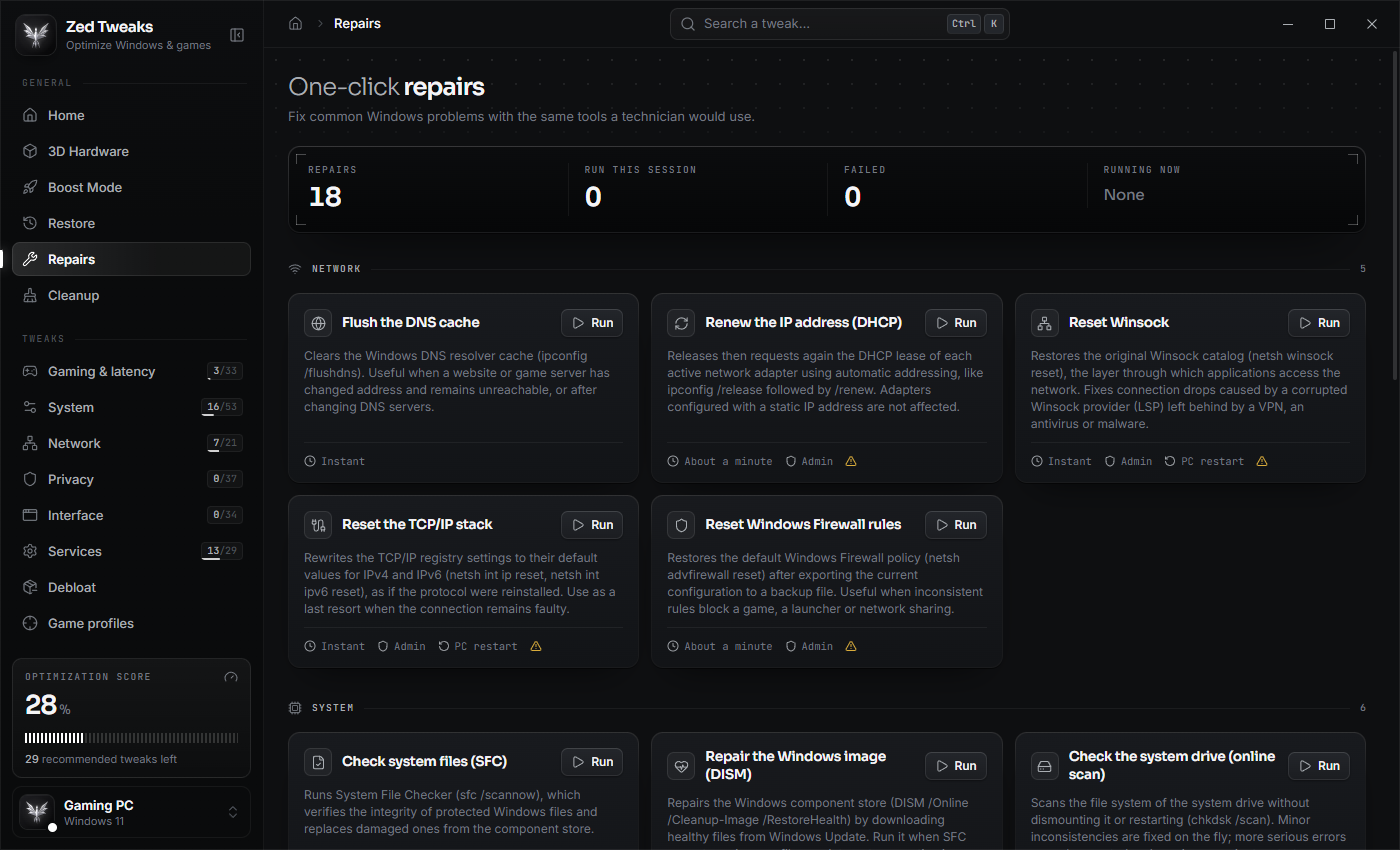
18 repairs for common Windows problems, from flushing the DNS cache and resetting Winsock to SFC and DISM: the same tools a technician would use, behind a Run button.
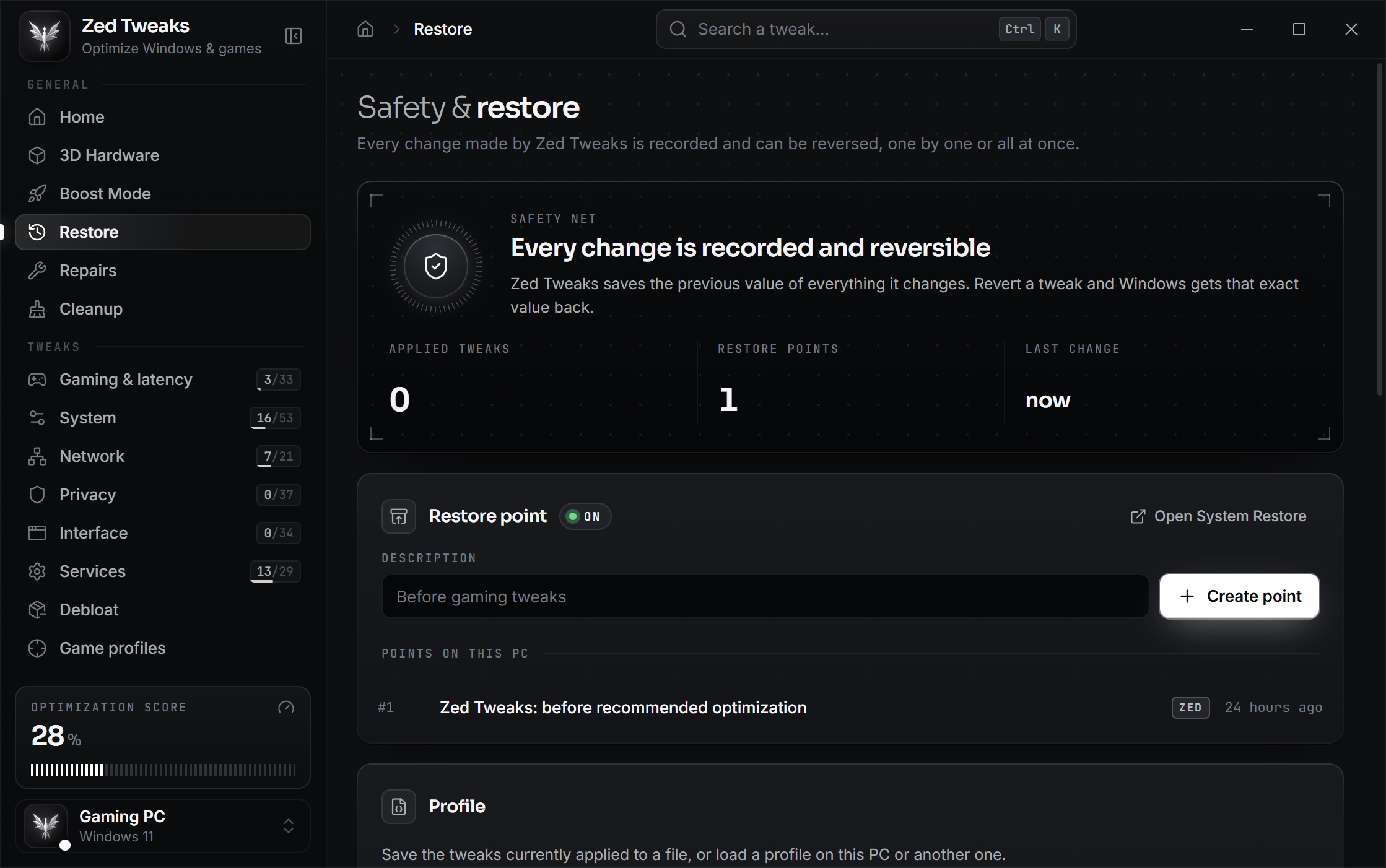
Zed Tweaks saves the previous value of everything it changes. Revert one tweak or all of them, create a Windows restore point, or export your profile to another PC.
02Boost Mode
Go on, press it. On this page the button only plays the animation. In the app, it does the four things listed next to it.
Boost ModeInactive
Inactive
Stays on after you close Zed Tweaks, until you turn it off.
Press to boost
Plan Zed Tweaks Services 5 Memory Purge Demo
The active plan is remembered, then the Zed Tweaks plan takes over.
The selected services that are running are paused.
The standby list is emptied once to free RAM for the game.
Turning it off puts the plan back and restarts the paused services.
03Tweaks
Some only exist on certain Windows versions or hardware. The app shows the ones that apply to your PC.
Lower input lag and steadier frame times: Game Mode, captures, mouse, keyboard and graphics card.
Performance, power plans, storage and Windows Update behaviour.
Lower latency and steadier connections: TCP stack, adapters and background traffic.
Diagnostic data, advertising, activity history and what Windows sends to Microsoft.
File Explorer, the taskbar and the Start menu, set up the way you like them.
Background services and scheduled tasks you do not need running.
04Safety
Nothing is applied behind your back, and nothing is applied for good.
Risk level of the 213 tweaks
1 mark = 1 tweak
What it changes, its risk level, and whether it needs a restart or administrator rights. You decide tweak by tweak.
The previous value is saved before anything is written. Revert one tweak, or everything at once, from the Restore page.
Before a batch of recommended tweaks, the app offers to create a Windows restore point for you.
Zed Tweaks never installs a kernel-mode driver, and Boost Mode pauses services instead of disabling them.
05Pricing
Zed Tweaks is sold on our Discord server. Nothing is sold on this website.
Zed Tweaks licence
€25
It is free to join. You will find the announcements, the tweak catalogue and the community there.
One button opens a private channel between you and the team, where your purchase is handled.
You receive an 8-digit code. Install the app, type the code, and Zed Tweaks is activated on that PC.
06Creator
Zed Tweaks is made by
zedih created Zed Tweaks and runs the Discord server where it is sold. A question before buying, a bug to report, an idea for a new tweak? Write directly, on Discord.
Paste it in Discord under Add Friend, or find zedih on the server.
07FAQ
A Windows app that makes your PC and your games faster with clear, explained tweaks. You choose what gets applied.
Every tweak shows its risk level: Safe, Moderate or Advanced. Start with the Safe ones and read the warning before applying an Advanced tweak.
Open the Restore page in the app. Every change is recorded and can be reverted, one by one or all at once. You can also create a restore point beforehand.
Before a game, it switches to a performance power plan, pauses background services and frees memory. Turn it off and everything goes back to how it was.
Windows 10 and Windows 11. A few tweaks only exist on recent Windows 11 builds or on specific hardware; the app only lists the ones that apply to your PC.
Join the Discord server and open a purchase ticket. After your purchase you receive an 8-digit activation code to type into the app.
No. Each code activates a single PC.
On the Discord server. There is a help channel for questions and a channel for reporting bugs.

Join the server, open a ticket, and get your activation code.
Join the Discord€25·one licence, one PC